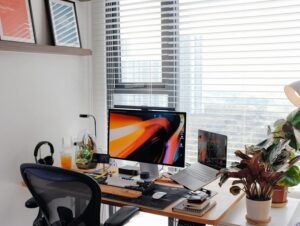
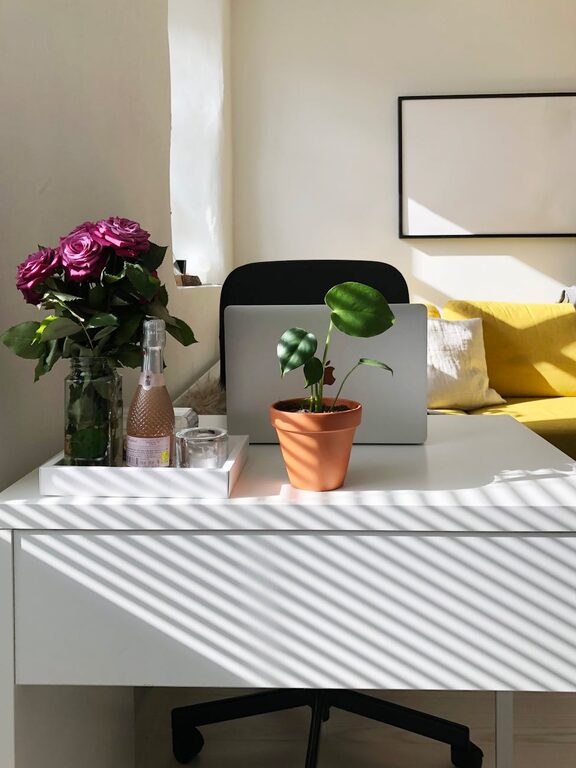
Creating a home office space that is both comfortable and productive is essential for anyone working remotely or managing tasks at home. When your workspace supports your needs, you can focus better, reduce stress, and accomplish more throughout the day. Whether you have a dedicated room or a small corner, this guide will help you design an environment that works for you.
Choose the Right Location
Selecting the right spot for your home office is the foundation of a productive workspace. Consider the following factors:
– Natural light: A place near a window provides daylight, which can boost mood and energy.
– Quiet environment: Pick a location away from noisy areas to minimize distractions.
– Space availability: Ensure there’s enough room for your desk, chair, and storage.
If space is limited, even a small nook or corner can be transformed into an efficient workspace with some creativity.
Invest in Ergonomic Furniture
Comfort is key when working long hours. Ergonomic furniture supports good posture and reduces physical strain.
– Office chair: Choose a chair with adjustable height, lumbar support, and comfortable cushioning.
– Desk: A desk at the right height prevents shoulder and wrist discomfort.
– Monitor stands: Elevate screens to eye level to avoid neck strain.
Ergonomic accessories like keyboard trays or footrests can also improve your comfort.
Organize Your Space
A clutter-free environment helps maintain focus and reduces stress. Use these tips for organizing:
– Storage solutions: Shelves, drawers, and filing cabinets keep documents and supplies orderly.
– Cable management: Use clips or sleeves to keep cords tidy and prevent tangling.
– Daily clean-up: Spend a few minutes at the end of each day to tidy your desk.
Labeling storage areas can speed up finding what you need.
Optimize Lighting
Good lighting is critical for reducing eye strain and creating a pleasant workspace.
– Natural light: Maximize daylight but avoid glare on screens.
– Task lighting: Use adjustable desk lamps for focused work.
– Ambient lighting: Soft, evenly distributed light reduces harsh shadows.
Consider bulbs that mimic daylight for a natural feel.
Personalize Your Workspace
Adding personal touches can make your home office inviting and motivating.
– Decor: Include plants, artwork, or photos that bring joy.
– Color scheme: Choose calming colors to promote concentration.
– Comfort items: A cozy blanket or cushion can enhance comfort.
However, balance personalization with professionalism, especially if using video calls.
Minimize Distractions
Keeping distractions at bay is vital for sustained productivity.
– Set boundaries: Communicate your working hours to family or housemates.
– Use noise-cancelling headphones: They help block out background sounds.
– Turn off unnecessary notifications: Limit digital interruptions during focused work.
If possible, dedicate your office space exclusively for work.
Incorporate Technology Wisely
Having the right technology can make remote work smoother.
– Reliable internet: Ensure your connection is fast and stable.
– Peripherals: Invest in a good keyboard, mouse, and headset.
– Backup solutions: Use cloud storage or external drives for data security.
Regularly update your software to maintain security and efficiency.
Take Breaks and Move
Productivity improves when you balance work with movement and rest.
– Follow the 20-20-20 rule: Every 20 minutes, look at something 20 feet away for 20 seconds to reduce eye strain.
– Stretch: Take moments to stretch your body and relieve tension.
– Walk: Short walks around your home or outside can refresh your mind.
Setting reminders can help establish healthy habits.
Set a Routine
Establishing a daily routine helps separate work life from personal life.
– Start with a morning ritual: This signals the beginning of the workday.
– Schedule tasks: Use a planner or apps to organize your day.
– End your day consciously: Shut down your computer and tidy your area to mark the workday’s end.
Consistency supports focus and reduces burnout.
—
Creating a home office tailored to your needs can transform your work-from-home experience. With thoughtful choices in location, furniture, organization, lighting, and habits, your workspace can become both comfortable and highly productive. Start small, adjust as needed, and enjoy a better balance between work and home life.