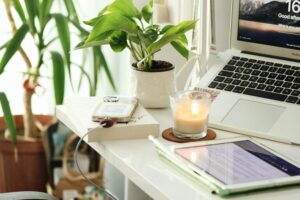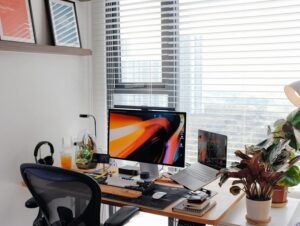
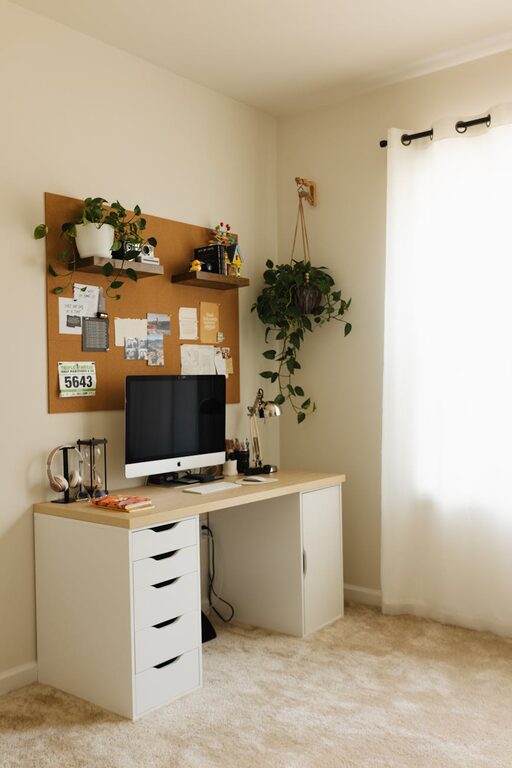
Creating a cozy and productive home office is essential for anyone working from home or managing personal projects. A well-designed workspace not only improves your focus but also makes your workday more enjoyable. Here are useful tips to help you transform any corner of your home into a comfortable and efficient office.
Choose the Right Location
The first step is selecting the best spot for your office. Ideally, this should be a quiet area with minimal distractions. Consider the following:
– Natural Light: Position your desk near a window to take advantage of daylight, which boosts mood and reduces eye strain.
– Privacy: A separate room or a quiet nook away from high-traffic areas helps maintain concentration.
– Ventilation: Good air flow keeps the environment fresh and comfortable.
Invest in Ergonomic Furniture
Comfort is key to productivity, especially when sitting for long periods.
– Desk: Choose a desk that fits your space and suits your work style—whether you need room for a computer, paperwork, or both.
– Chair: An ergonomic chair with adjustable height, lumbar support, and cushioning helps prevent back pain.
– Desk Accessories: Consider a footrest, wrist supports, or a monitor stand to reduce strain.
Create a Calming Colour Scheme
Colours influence mood and energy levels. To keep your workspace cozy and inspiring, consider:
– Soft Neutrals: Whites, beiges, and light greys create a clean and calming background.
– Accents of Colour: Add pops of blue, green, or warm tones to promote focus and positivity.
– Personal Touches: Use artwork or décor that reflects your personality without causing distractions.
Organize and Declutter
A tidy space promotes a tidy mind. Organise your home office for both efficiency and simplicity:
– Storage Solutions: Use shelves, drawers, and boxes to keep supplies out of sight but accessible.
– Cable Management: Keep cords organized with clips or tubing to avoid clutter.
– Daily Routine: Spend a few minutes at the end of each day clearing your desk and planning for tomorrow.
Optimize Lighting
Proper lighting reduces eye strain and helps maintain energy throughout the day.
– Natural Light: Make the most of daylight but reduce glare with blinds or curtains.
– Task Lighting: Use adjustable desk lamps with warm white light for focused work.
– Ambient Lighting: Combine overhead lights or floor lamps to create a well-lit atmosphere.
Incorporate Plants and Nature
Adding greenery has been shown to improve mood and creativity.
– Easy-to-Care Plants: Succulents, pothos, or spider plants add life without much maintenance.
– Placement: Position plants on your desk or nearby shelves for visual refreshment.
– Natural Elements: Wooden accessories or stones can also add a grounding effect.
Set Boundaries and Routine
To separate work from personal life, it’s important to establish rules:
– Work Hours: Decide on regular start and end times for your workday.
– Dedicated Workspace: Use your office space only for work to build a mental association.
– Breaks: Schedule short breaks to stretch and rest your eyes for better productivity.
Use Technology Wisely
Technology can enhance your workflow if managed properly.
– Reliable Equipment: Invest in a good computer, keyboard, mouse, and headset.
– Software Tools: Use productivity apps like calendars, task managers, and communication platforms.
– Limit Distractions: Turn off unnecessary notifications and designate specific times to check emails and messages.
Add Personal Comfort Items
Small details make your office feel welcoming and tailor it to your needs.
– Cozy Textiles: A soft rug, cushions, or a throw can make your space warm.
– Beverage Station: Keep a water bottle, tea, or coffee nearby.
– Inspiring Objects: Photos, quotes, or souvenirs help keep motivation high.
Final Thoughts
Designing a home office that is both cozy and productive involves careful planning and small personal touches. By focusing on comfort, organisation, lighting, and routines, you create a space where work feels less like a chore and more like an enjoyable part of your daily life. Start with these tips and adjust your setup over time to find what works best for you.